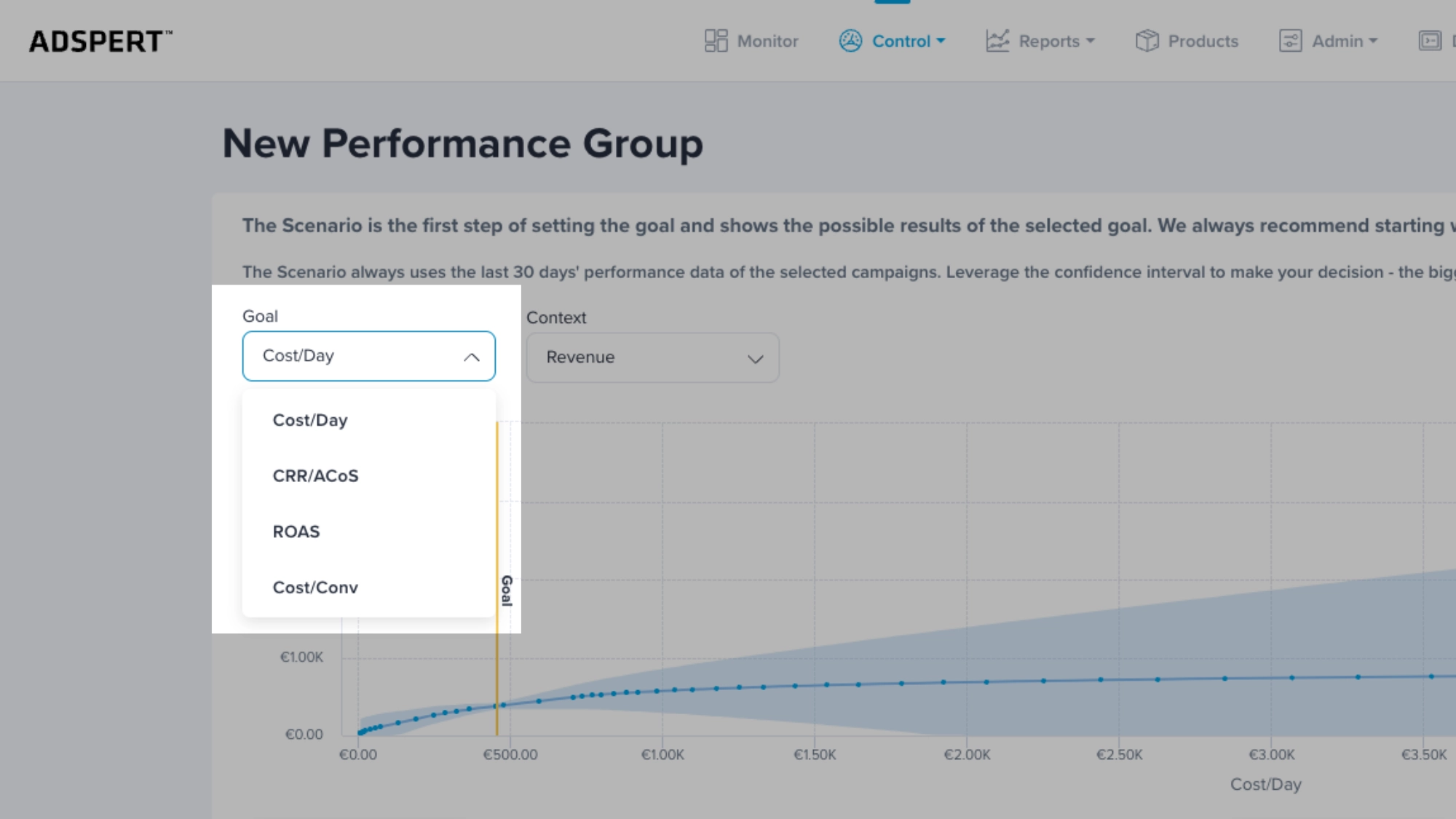
Sometimes it can be hard to decide which goal to choose. To make your decision easier, we prepared a concise list of four goal definitions and explanations.
By understanding the purpose and implementation of PPC goals such as cost per day, cost per conversion, ROAS, and cost revenue ratio (CRR) or advertising cost of sales (ACoS), you can effectively manage your PPC bidding strategies.
Read on to learn more about these goal types and discover the best strategies for achieving your advertising objectives.
What Are PPC Goals?
In Adspert, PPC goals are more than just bidding targets. They act as strategic optimization frameworks that guide how our AI optimizes your campaigns within a Performance Group.
Each Performance Group is optimized toward one shared goal. Whether that’s maximizing sales or achieving a specific efficiency target like ACoS, ROAS or Cost per Conversion.
Choosing the right PPC goal influences how aggressively the algorithm pushes for growth, how strictly it protects profitability, and how it allocates your budget.
Now let’s dive in and see what PPC goal types you can select in Adspert.
Maximize Sales
Use: Generate as many sales as possible while keeping daily costs under control.
Maximize Sales is the new name for the former “Cost per Day” goal. The daily spend value is now called “Daily Cost Limit.”
This goal is the default for all new Performance Groups because it gives both you and Adspert’s AI the best possible starting point for optimization, especially in the beginning.
Maximize Sales allows the algorithm enough flexibility to learn how your campaigns perform and build a strong data foundation.
Note: Depending on changes in your account or in the market, Adspert may be slightly over or under the set Daily Cost Limit. If you need a fixed budget limit, set it in your native advertising platform as a daily budget (e.g. directly via Amazon Ads platform).
When the budget is reached, the advertising platform will stop running the ads and prevent Adspert from spending more than the set Daily Cost Limit.
Cost per Conversion
Use: Maximize conversions for given target costs
Note: First, check the historical Cost per Conversion for the last 30 days. Then set a new Cost per Conversion that is not lower than 20% of the historical value!
Any change bigger than 20% at a time might harm your performance. Instead, adjust the Cost per Conversion goal gradually by less than 20% at a time. Once the new goal is reached, adjust it again.
Example: Historical Cost per Conversion of the last 30 days is €10. The objective is to decrease it.
First, adjust Cost per Conversion to €8 (€10 * 0,8). When Adspert gets close to reaching the goal, adjust it again by 20% which amounts to €6,4 (€8 * 0,8).
ROAS
Use: Achieve a certain target ROAS (Return on Ad Spend).
Note: First, check the historical ROAS for the last 30 days. Then set a new ROAS that is not lower than 20% of the historical value! Any change bigger than 20% at a time might harm your performance.
Instead, adjust the ROAS goal gradually by less than 20% at a time. Once the new goal is reached, adjust it again.
Example: Historical ROAS of the last 30 days is 2.0. The objective is to increase it.
First, adjust ROAS to 2.4 (2.0 * 1,2). When Adspert gets close to reaching the goal, adjust it again by 20% to 2.88 (2.4 * 1,2).
Advertising Cost of Sales (ACoS) or Cost Revenue Ratio (CRR)
Use: This goal is similar to ROAS goal. The only difference is that it is measured differently by dividing advertising cost by revenue.
Note: First, check the historical CRR or ACoS for the last 30 days. Then set a new CRR or ACoS that is not lower than 20% of the historical value! Any change bigger than 20% at a time might harm your performance.
Instead, adjust the CRR or ACoS goal gradually by less than 20% at a time. Once the new goal is reached, adjust it again.
Example: Historical CRR or ACoS of the last 30 days is 20%. The objective is to decrease it. First, set your target value to 16% (20% * 0,8). When Adspert gets close to reaching the goal, adjust it again by 20% to 12,80% (16% * 0,8).
How to Set PPC Goals (Step-by-Step for Beginners)
Choosing the right PPC goals isn’t about selecting the lowest ACoS immediately. It’s about aligning your goal with your campaign data and current stage.
1. Start with Maximize Sales
All new Performance Groups begin with Maximize Sales because it provides the flexibility needed for the algorithm to learn.
2. Wait until you have enough data
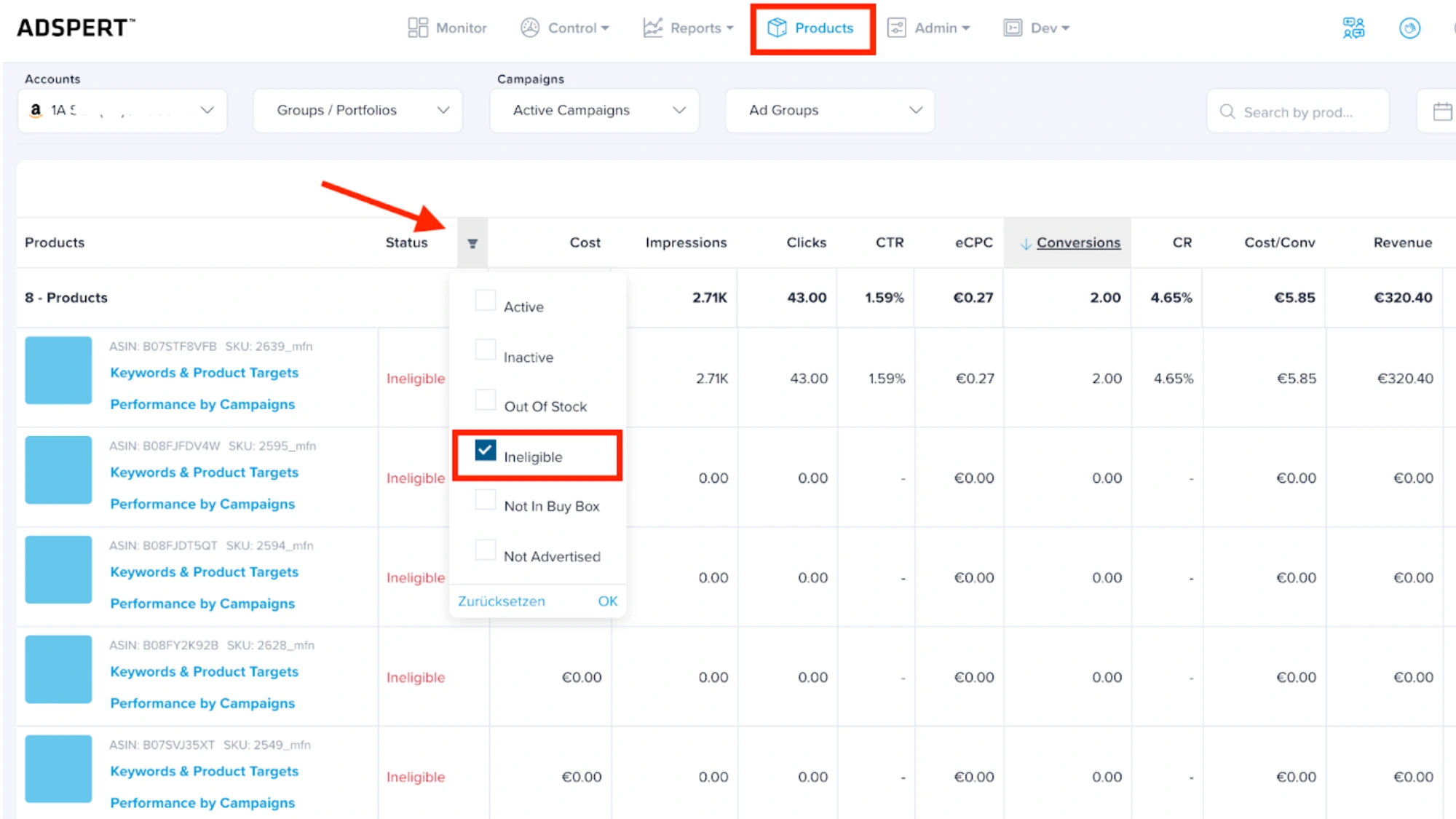
Revenue-based goals such as ACoS, ROAS or Cost per Conversion require sufficient conversion data. In Adspert, these goals automatically unlock once your Performance Group reaches 30 conversions in the last 30 days.
3. Review ad campaigns before switching
Before changing your PPC goal to a revenue-based one, check whether all campaigns inside the Performance Group have generated conversions.
Campaigns with 0 conversions should be moved to a separate Performance Group with a Maximize Sales goal.
4. Adjust gradually
Avoid changing your goal by more than 20% at a time. Smaller, incremental adjustments allow the AI to adapt and deliver more stable results.
How Goal Fit Score Helps You Set Realistic PPC Goals
Setting PPC goals can feel like guesswork. Especially when you’re unsure whether your target ACoS or ROAS is realistic. That’s where Adspert’s Goal Fit Score comes in.
Goal Fit Score evaluates how well your chosen goal aligns with your Performance Group based on factors like budget, historical performance, campaign maturity and recent trends.
Instead of relying on intuition, you get a data-based indication of whether your goal is achievable.
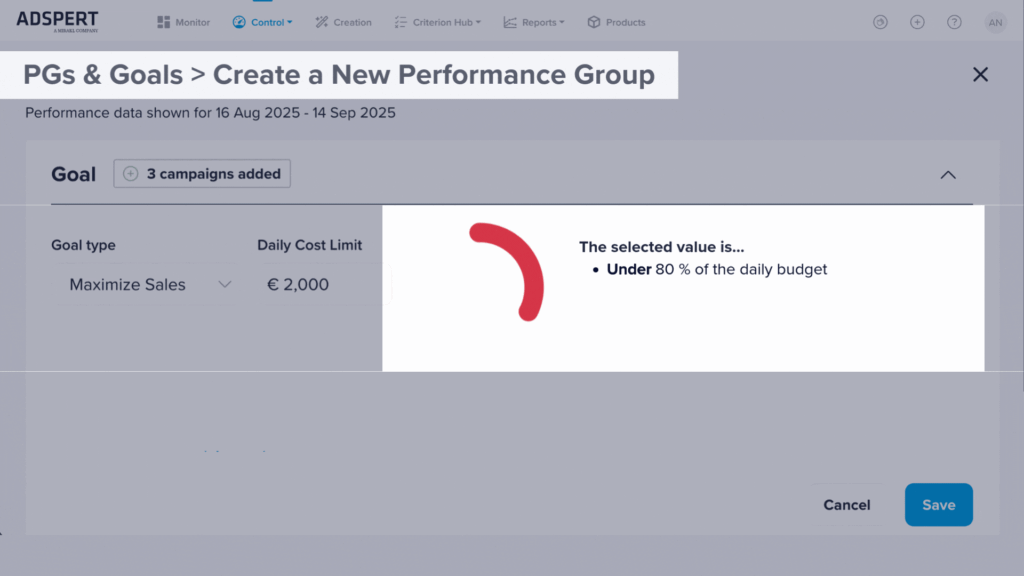
Unrealistic PPC goals – especially overly aggressive ACoS targets – can restrict the algorithm and slow down growth. If the target doesn’t match your current data baseline, performance may stagnate instead of improve.
The visual color signals (green, yellow, red) make it easy to quickly understand whether their goal is well aligned or needs adjustment.
Combined with gradual changes (no more than 20% at a time), Goal Fit Score helps you move toward profitability in a stable and controlled way.
How Scenarios Help You Test PPC Goals Before You Commit
Even with data and guidance, changing PPC goals can feel risky. That’s where Scenarios add another layer of confidence.
Adspert’s Scenarios use your real account data combined with predictive AI to estimate how different goal values could impact conversions, revenue and efficiency. All that before you apply any changes.
Instead of relying on trial and error, you can test whether tightening your ACoS or increasing your ROAS target is likely to reduce volume or improve profitability.
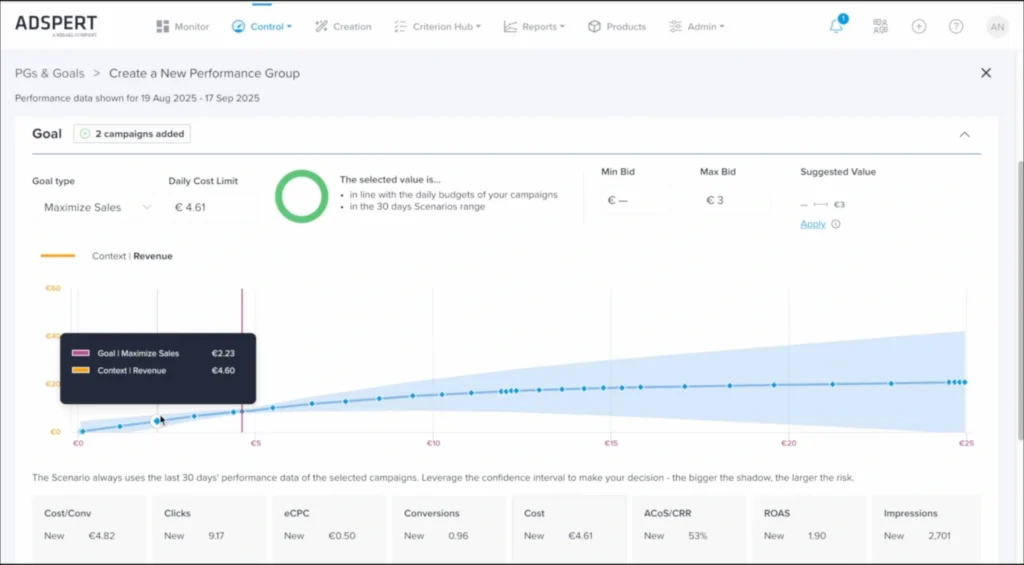
This helps prevent costly overcorrections and protects your budget from aggressive goal changes that don’t match your campaign maturity.
By combining Goal Fit Score with predictive Scenarios, you move from guessing to data-informed decision-making. And set your PPC goals with far more clarity and control.
Common PPC Goal Mistakes to Avoid
- Setting unrealistic ACoS targets too early
If your campaigns haven’t generated enough conversions, switching to an aggressive ACoS goal can limit performance instead of improving it. - Switching from Maximize Sales too soon
Just because revenue-based goals unlock doesn’t automatically mean it’s the right time to switch. Stable conversion data should guide your decision. - Changing goals too frequently
Frequent adjustments can disrupt optimization and prevent the algorithm from building consistent performance trends. - Mixing campaigns with very different performance levels in one Performance Group
Pair “apples with apples.” Campaigns with zero or very low conversions should not share the same revenue-based PPC goal as mature campaigns.
Conclusion
Selecting the right goal type is crucial for effective PPC campaign management in Adspert.
By understanding the purpose and implementation of different goals like cost per day, cost per conversion, ROAS, and cost revenue ratio (CRR) or advertising cost of sales (ACoS), you can align your advertising objectives with the most appropriate strategy.
Remember to analyze historical data and make gradual adjustments when setting new goals to avoid significant performance disruptions.
With this comprehensive knowledge of goal types in Adspert, you’ll be well-equipped to optimize your campaigns and drive better results.