Promoting your products with Amazon Ads but have a feeling you are bleeding money? First check retail readiness of your product listings.
Why? The competition on Amazon is fierce! And I am sure you would like to wring out every cent of your hard-earned advertising budget.
Let’s dive in.
What is Retail Readiness?
Let’s start with the basics and define retail readiness. Amazon sees your product listings as “retail ready” when they are fully prepared and optimized for the online retail environment.
What does this really mean? Amazon has a long list of rules and criteria that define how to rank product listings. But one rule is the one that rules them all: the customer ALWAYS comes first!
This means your product listing should be as user friendly and informative as possible. And Amazon applies the same criteria when it comes to Amazon PPC advertising. If your product is not retail ready, it doesn’t make much sense to advertise it.
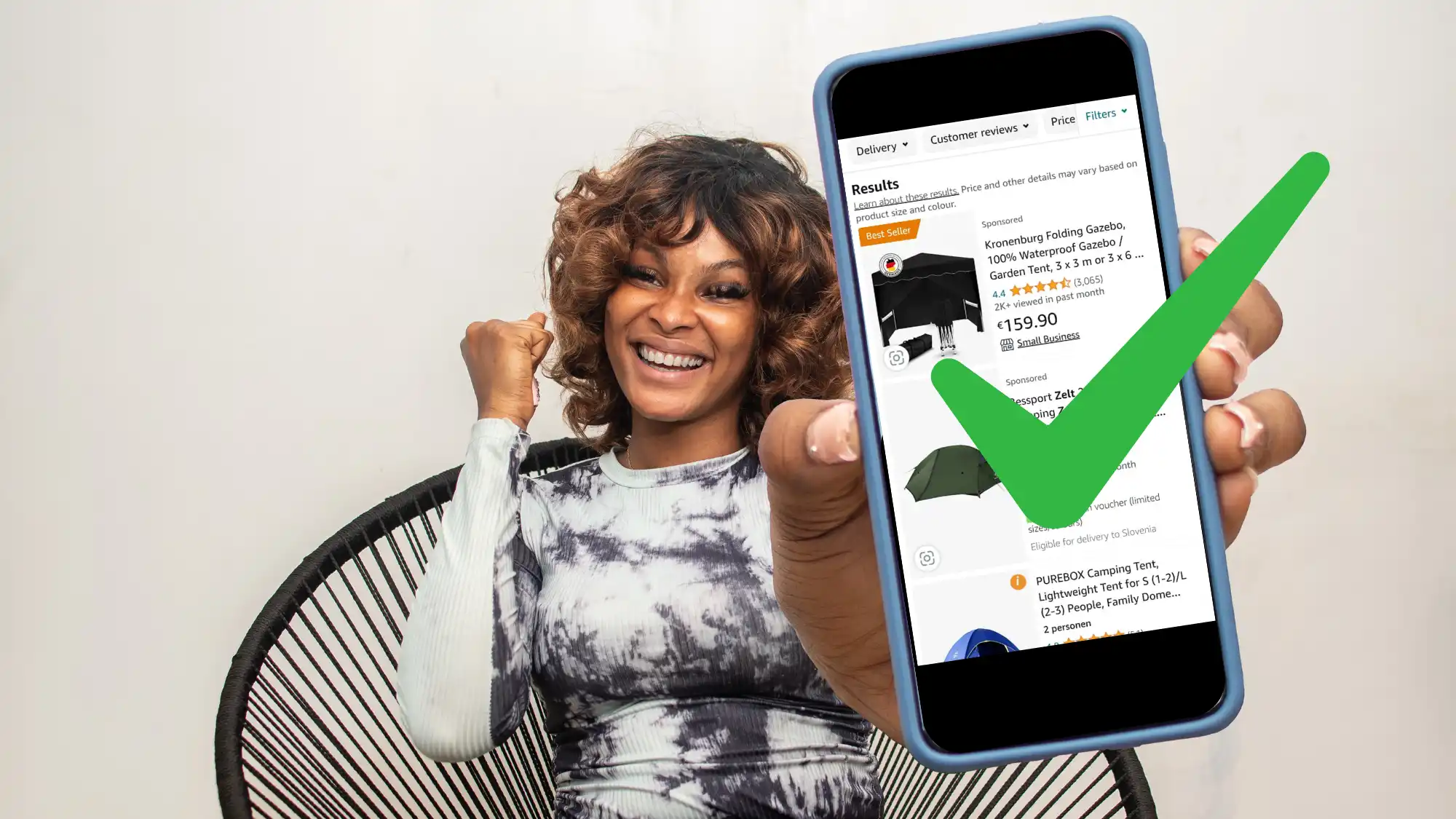
Running Amazon Ads is far from free and you want to make sure your investment results in higher conversion rates or sales, right?
To make that happen, set up your Amazon listings correctly and make them retail ready. Include key information that will persuade customers to convert and award you with a sales boost.
If you are wondering about different ways how to advertise my product on Amazon, then you can also check a related article.
But now, let’s continue with getting them retail ready.
Retail-Ready Product Listings Include:
- Relevant content (product titles and descriptions)
- Images
- Customer reviews
- Star rating
- Inventory
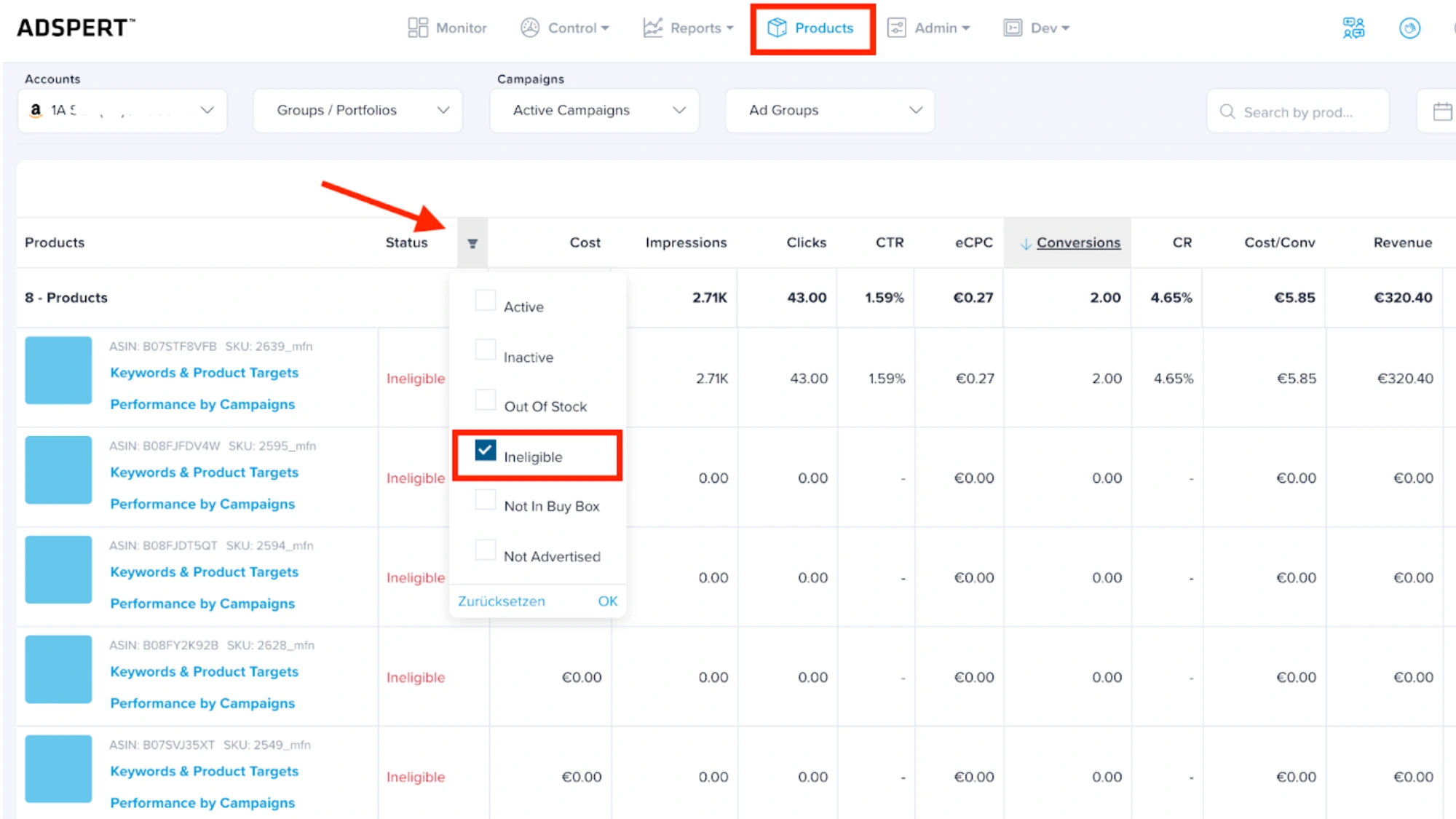
- Buy Box
- Enhanced content
I will walk you through 10 simple steps on how to master retail readiness and rock your Amazon PPC performance.
Let’s dive right in!
Amazon Retail Readiness Checklist (10 Steps)
Okay, now we know what retail readiness is, but where to start? Simply follow the steps described below.
You will discover how to prepare retail ready products and ultimately increase your Amazon sales.
1. Suitable Product Titles
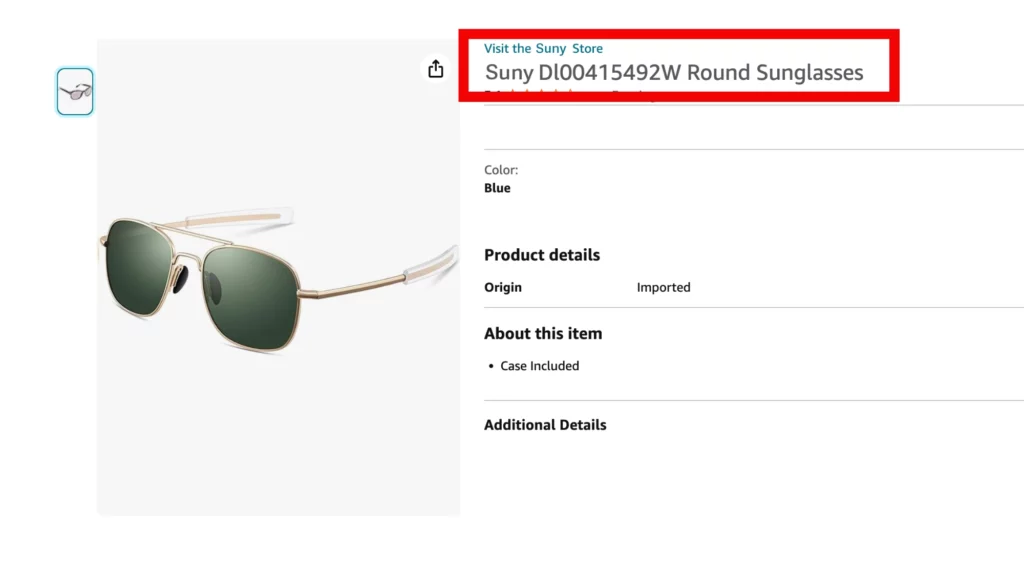
Your product title is the most important and also the most visible part of your listing, I can’t stress that enough.
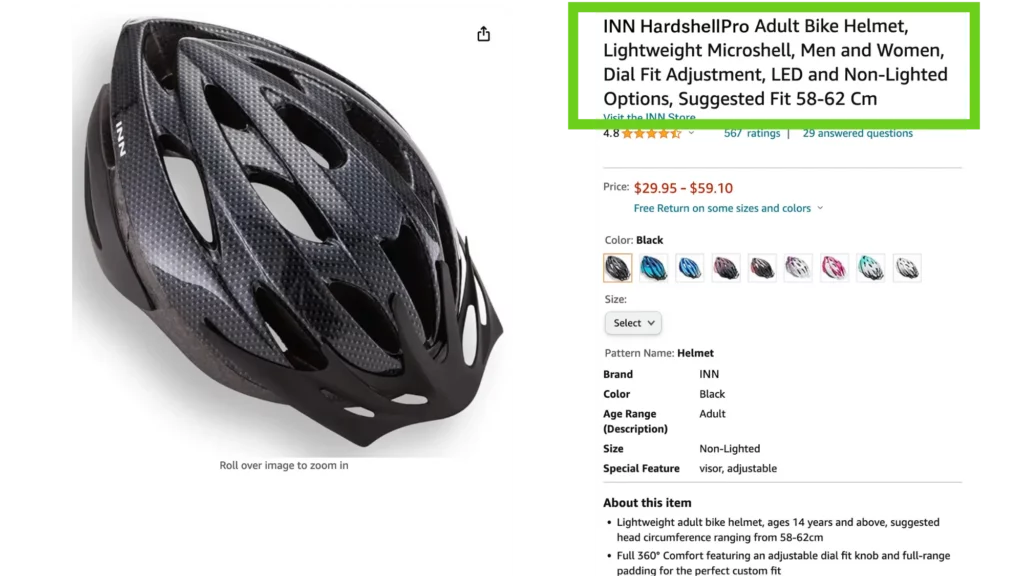
Product title guidelines:
- From 50 to 80 characters long (for a better mobile user experience)
- Include your item name
- Use related keywords
- Put down the brand
- Add any other relevant details (color, size, flavor …)
- Avoid using ALL CAPS – you do not want to seem too pushy
2. Keyword-Rich Product Description
You might have heard that the product description is not viewed by many users. But that does not mean you should skip it! On the contrary, use the extra space wisely.
Expand your product information. Include explanations about its features, benefits, possible warranties and other information that can be useful to your customers.
Include additional product-related keywords, but avoid keyword stuffing. If you want to go the extra mile, you can also include an “About” section. That’s where you can explain more about your brand.
Pro Tip
Using suitable and relevant keywords will not only help with retail readiness. Relevant keywords used in correct places help increase organic ranking and sales as well!
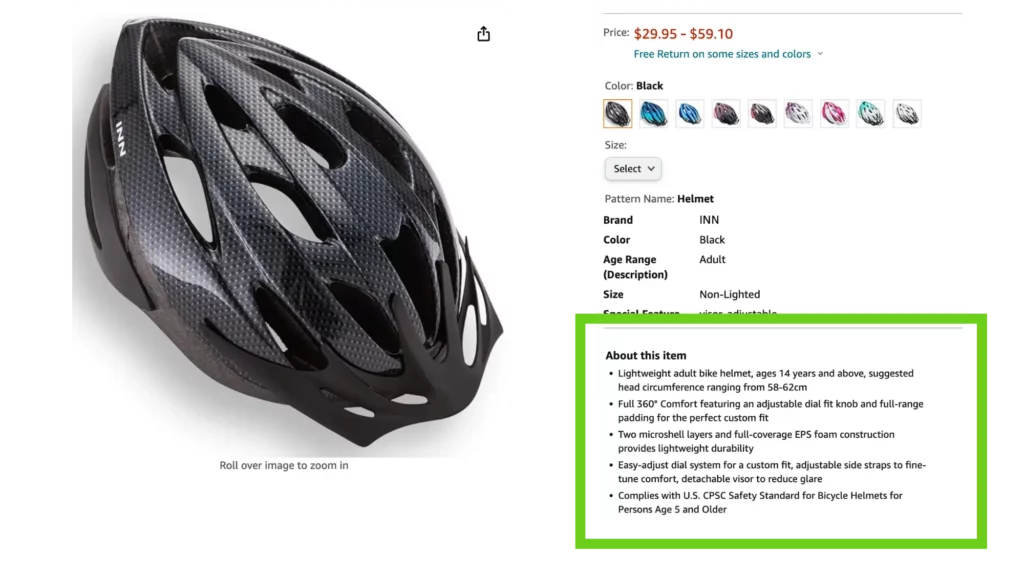
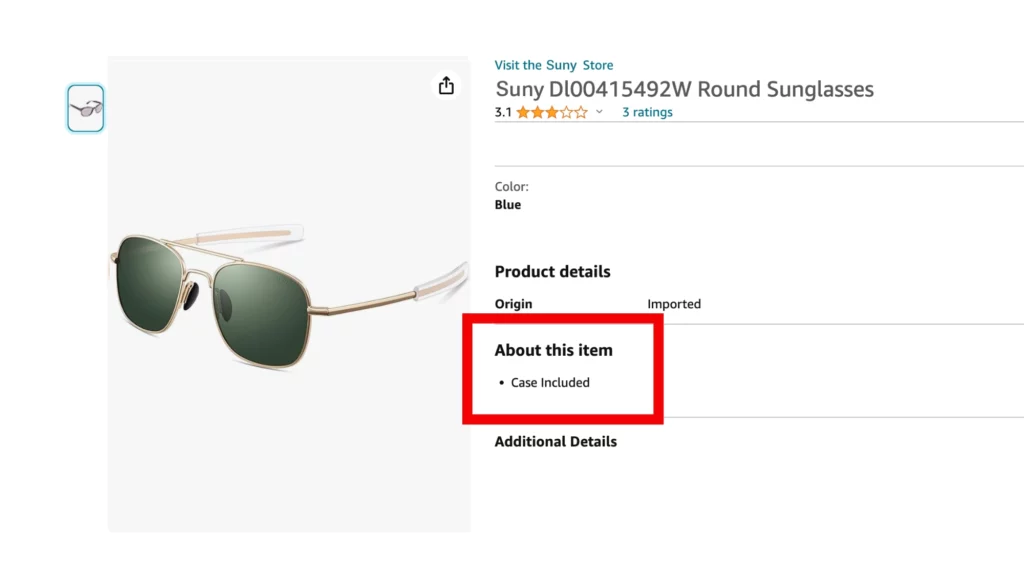
3. Appealing Bullet Points
Amazon product detail pages give you space for 5 bullet points. My advice is: use them all and use them wisely!
- Make sure the bullets reflect the product’s unique selling points, features and benefits.
- Rank the bullets from the most to least important.
- Focus on quality rather than quantity. The character limit per bullet is 500, but rather keep it shorter (150-200 characters) to make sure all bullets will display.
- Include product-related keywords in each bullet to promote visibility in Amazon’s search.
4. High-Quality Product Images
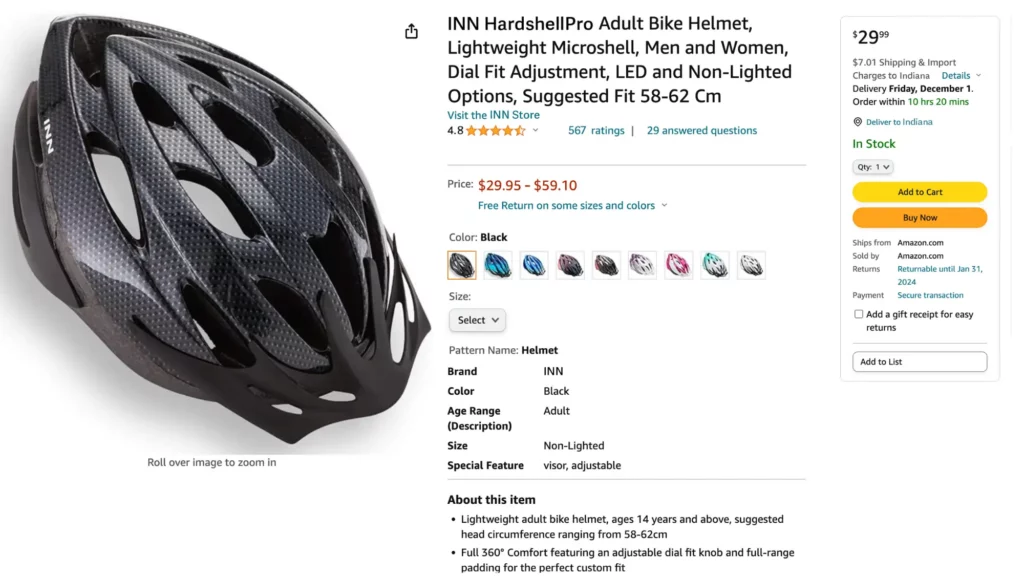
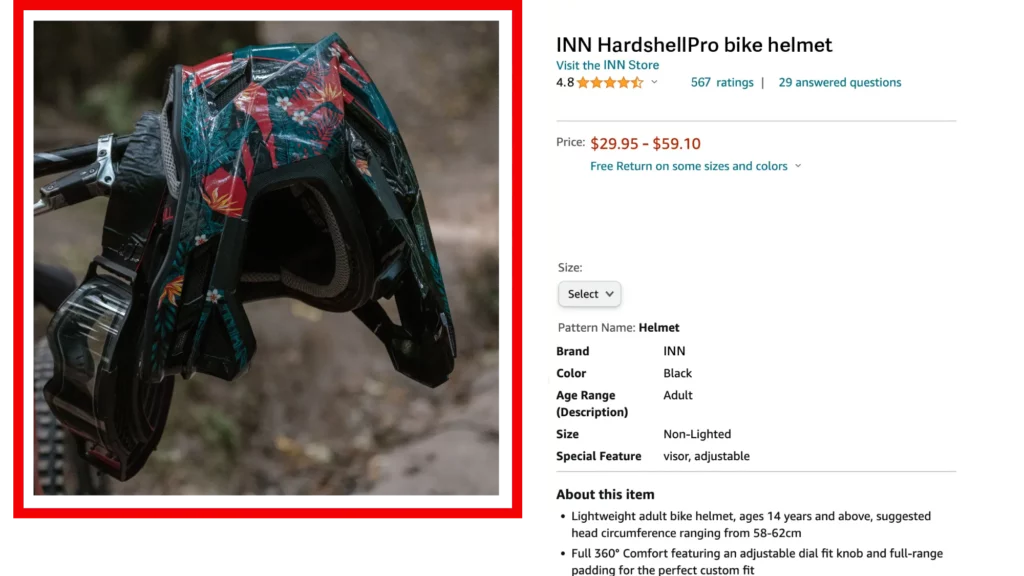
Let’s face it, humans are visual creatures. Clean and sharp-looking product images always win over grainy, hard-to-see images.
Take your time to create high quality images for your Amazon product listings. This is a crucial step towards retail readiness!
First of all, cover the basics and follow Amazon’s guidelines:
- Prepare your images on an all-white background without any text.
- The product must fill 80% of the image space.
- The minimum image size must be 1000 pixels (height and width)
Besides fulfilling the basic requirements, you can do more:
- Include high-quality images that show the product’s details (use close-ups that show products’ integral parts or benefits)
- Show the product from all sides (also inside and outside, if applicable) – you can use up to 9 images for a single Amazon product listing.
- Use lifestyle photos that show the user product’s everyday use.
Pro Tip
Would you like to learn (much) more about retail readiness? Then I recommend you to check out Amazon Ads Retail Certification.
This course is an excellent and FREE source of information served directly by Amazon, so you can be sure all information is correct and up to date.
Plus you can pass the certification at the same time and get a great addition to your personal knowledge base!
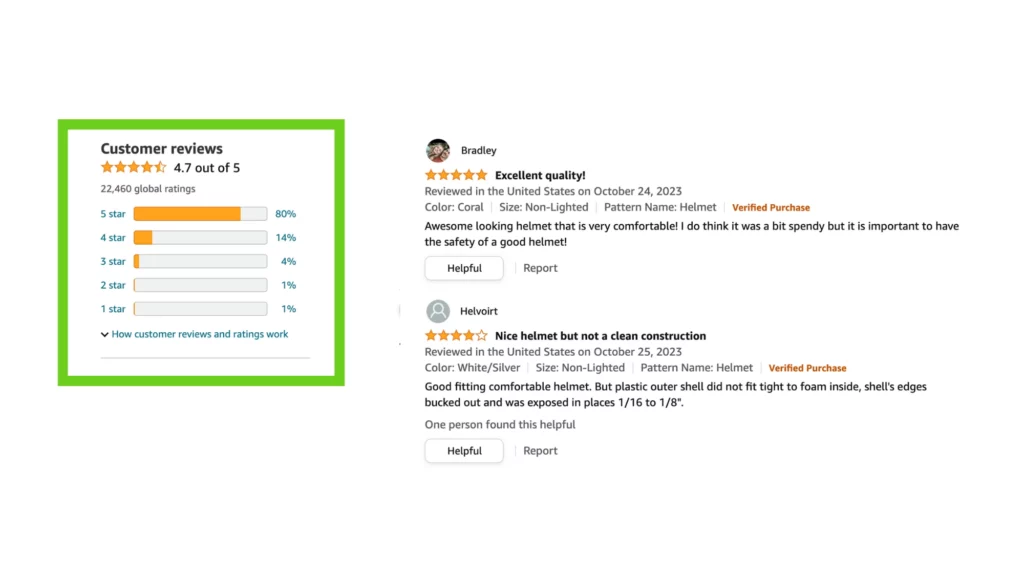
5. Gather Enough Customer Reviews
As an Amazon seller, you know that customers’ reviews matter, but how many do you need? Obviously, the more you have, the better.
But what about the lower end? You should gather at least 15 customer reviews. Only then your product is considered retail-ready from your target audience point of view.
That’s not all, the same goes for Amazon Ads. If you are planning to advertise a product, first make sure it has at least 15 customer reviews. Otherwise your chances of getting a proper exposure are quite slim!
6. Star Rating Above 3.5
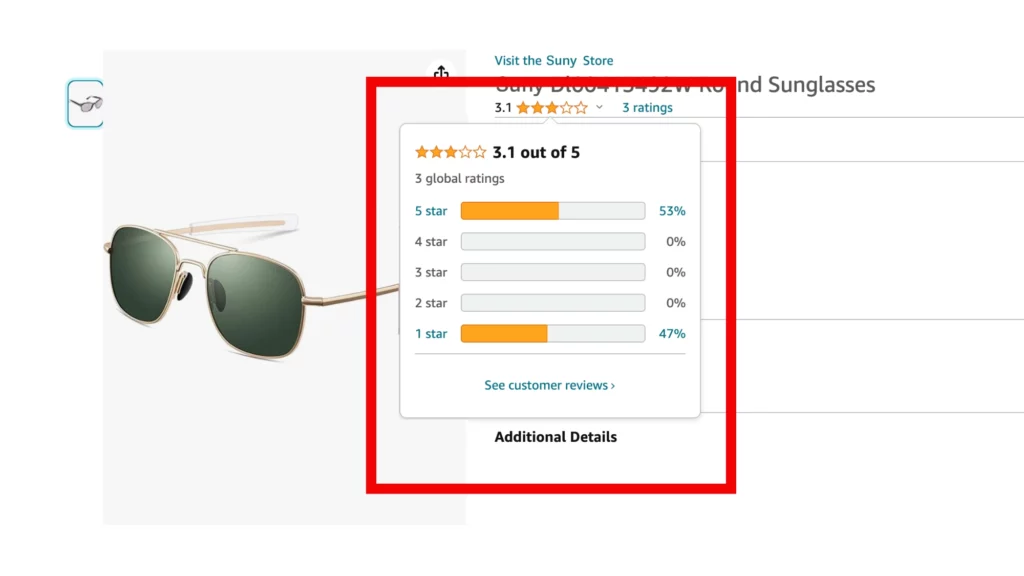
Do not underestimate the power of star rating in Amazon’s buyer’s journey! Star ratings are one of the first things any user sees, not only on Amazon.
For a product to be Amazon retail ready, it should have at least 3.5 star rating. Same as above, the higher the star rating, the higher the chances for your Amazon PPC success.
Pro Tip
You must be wondering: how to gather star ratings if I am starting from scratch? Register for the Amazon Vine program. Your product will then be sent free of charge to selected product testers, who in return will write reviews for your product.
7. Sufficient Inventory: Stock Up!
Again, we circle back to “customer comes first”. If no one can buy your product because it is out of stock, then your product listing is flagged as close to useless.
Fill up your inventory and you will be one step closer to retail readiness in a snap. Again, having sufficient inventory also affects your Amazon advertising performance.
Pro Tip
Be prepared, it might happen that a certain product really hits off and you could sell a lot! If you run out of stock, you lose money. If you end up with extra items lying around, you again – lose money.
I know – it’s hard to hit the right balance. My advice here is to start small, test and see how it goes.
8. Set Competitive Pricing
The customer is king, but so is the product price. Do not skip this checkmark on your retail readiness checklist! Competitively priced products are key, otherwise they will not sell well.
By all means, this does not mean you should undersell! At the end of the day, make sure you are still making a decent living. This is what selling on Amazon is all about, right?
Pro Tip
Boost sales of low-selling products. Fortunately, there is a hack on how to reach increased sales of the products that aren’t doing so well.
Offer a promotion, coupon or discount code and your listing’s performance should improve.
9. Win the Amazon Buy Box
I am not going to lie – winning the Amazon Buy Box is probably the trickiest step towards retail readiness. That said, it may also bring the highest rewards.
What is an Amazon Buy Box?
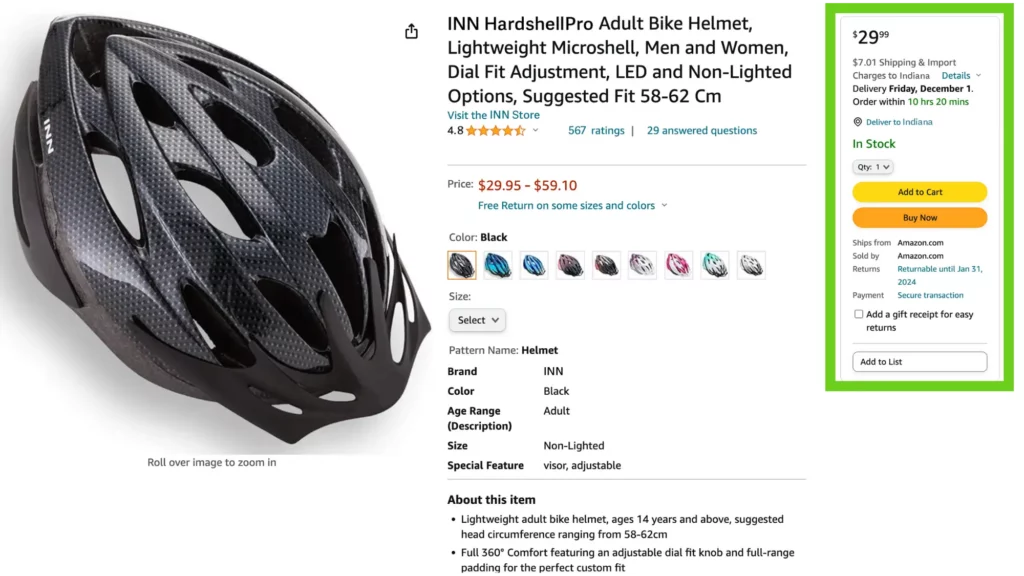
Buy Box is a feature on Amazon product pages that allows customers to directly add items to their shopping carts. It is a powerful and a prominent feature as it greatly boosts the chances of selling a product on Amazon.
How to win the Buy Box?
Winning the Buy Box on Amazon is vital. Amazon selects the Buy Box winner by considering a number of factors:
- Sufficient inventory: making sure items don’t stock out.
- Customer reviews: a higher number of reviews improves the buy box percentage.
- Competitive pricing: low prices win the race.
- Shipping speed
It’s worth noting that not all products have a Buy Box, and the criteria for eligibility can differ.
Feel like this is a vague instruction? I would be more specific if I could, trust me. But this is where we are limited by Amazon’s secrecy – they don’t openly discuss all the criteria that affect winning the Buy Boy.
The good news? If you followed all the steps so far, you are on the right track to also win the Buy Box.
10. Add Amazon A+ Content to Up Your Game
Before I delve into Amazon A+ content, let’s talk about how is it different from Enhanced Brand Content (EBC).
In the recent years, the line between the two isn’t so clear anymore and nowadays, A+ content and EBC are basically the same thing. Enhanced Brand Content is the former name for A+ content.
What is the difference?
- Basic A+ Content: available to Amazon Sellers and Vendors who are registered on Amazon’s Brand Registry
- Premium A+ Content: only available to Amazon Vendors on Amazon Vendor Central (that is invite-only)
So, if you are not a vendor, then you have access to basic A+ content which is still great!
Before you start creating your A+ content I strongly recommend you to first complete most (if not all) steps I described above. Only then it’s time to crank it up a notch!
Add A+ Content:
- Use captivating text combined with eye-catching images to tell your brand’s story.
- Create informative, brand-rich pages.
- Communicate your value propositions and add complementary information.
You must be wondering: is it worth it? Definitely yes! Telling your brand story, highlighting your product features usually encourage users to make the purchase.
How Retail Readiness Supports Stronger Amazon Ad Performance
Running Amazon Ads can bring visibility fast. But visibility alone doesn’t guarantee results.
Retail readiness doesn’t replace advertising, it supports it.
When a listing is fully retail ready, advertising becomes more predictable and easier to scale. Customers arrive on a page that clearly explains the product, and answers common objections. That clarity reduces hesitation and builds trust before the purchase decision.
If those elements are missing, ads may still drive traffic. But the product listing has to do the heavy lifting. And if it can’t, performance becomes inconsistent.
Retail readiness supports advertising in several ways:
1. Clear positioning improves first impressions
When your title, images, and bullet points immediately communicate what the product is (and who it’s for), visitors don’t have to “figure it out.”
This makes paid traffic more effective because the listing converts interest into intent.
2. Strong reviews reinforce ad-driven traffic
Ads can introduce your product to new shoppers. Reviews determine whether those shoppers feel confident enough to buy.
A retail-ready listing includes not just review quantity, but visible trust signals that reduce doubt.
3. Stock stability protects momentum
Increasing ad budgets while inventory is unstable creates risk. If traffic spikes but stock runs low, momentum drops.
Retail readiness includes operational preparation before scaling advertising efforts.
4. Content alignment reduces misunderstandings
If ads promote one benefit but the listing communicates something different, customers may feel misled. Retail readiness ensures your messaging is consistent across ads and product pages.
For sellers using automation tools or structured bidding strategies, this foundation becomes even more important. Technology can optimize traffic but it can’t fix unclear positioning, missing visuals, or weak social proof.
Retail readiness and advertising should work together.
First, build a listing that converts confidently. Then amplify it.
Conclusion
Amazon is a huge and complex marketplace that sets the bar high for most Amazon sellers and vendors. Retail readiness of your products is not really optional but a must to be competitive! Plus it is basically a prerequisite for successful Amazon Ads campaigns.
And I understand your struggle: getting your products retail ready takes time. If you are really short on time or resources, at least follow steps 1-8. It would be really great for your retail readiness if you manage to pull off steps 9-10 as well, but I get it – sometimes we all need to pick our battles.
Good luck on getting your product retail ready!
Did I miss anything? Please let me know! You can always reach me or a member of our team via Adspert chat or email.
Retail readiness on Amazon means your listing and operations are prepared to convert shoppers and fulfill demand. That includes strong images, clear and skimmable copy, accurate expectations. Also A+ Content where applicable, credible ratings and reviews, and enough inventory to stay in stock during high-traffic periods like Prime Day and Q4.
Amazon doesn’t publish one universal “retail-ready” definition for every seller and category. In practice, retailers and marketplaces reward listings that are complete, clear, trustworthy, and consistently available. Such as strong content (images, copy, A+ Content), credible reviews, competitive offers, and reliable inventory and delivery.
It’s not always a formal requirement to launch ads, but it strongly affects results. Ads work best when the listing is already built to convert. Otherwise you can pay for traffic that doesn’t turn into sales.
There’s no universal “magic number” but as a rule of thumb, go for at least 15 reviews. The practical goal is to avoid a “no social proof” situation, then build steady momentum. Even your first authentic reviews can help, and recency matters. Shoppers tend to trust recent feedback more than older reviews.
There isn’t one official cutoff, but shoppers typically look for a rating that feels both strong and believable. Many retail-ready listings sit in the low-to-mid 4-star range with enough review volume and recent feedback to feel trustworthy. So my suggestion here is above 3.5 stars.
Yes, technically but it’s often not as efficient. If your listing has unclear positioning, weak visuals, poor review signals, or shaky inventory, advertising can amplify those issues. Getting retail readiness in place first usually makes paid traffic more predictable and easier to scale.